> ## Documentation Index
> Fetch the complete documentation index at: https://docs.useautumn.com/llms.txt
> Use this file to discover all available pages before exploring further.
# Monetary credits
> Grant your users a currency-based balance of credits, that various features can draw from
When you have multiple features that cost different amounts, you can use a credit system to deduct usage from a single balance. This can be great to simplify billing and usage tracking, especially when you have lots of features.
## Example case
We have a AI chatbot product with 2 different models, and each model costs a different amount to use.
* Basic message: \$1 per 100 messages
* Premium message: \$10 per 100 messages
And we have the following plans:
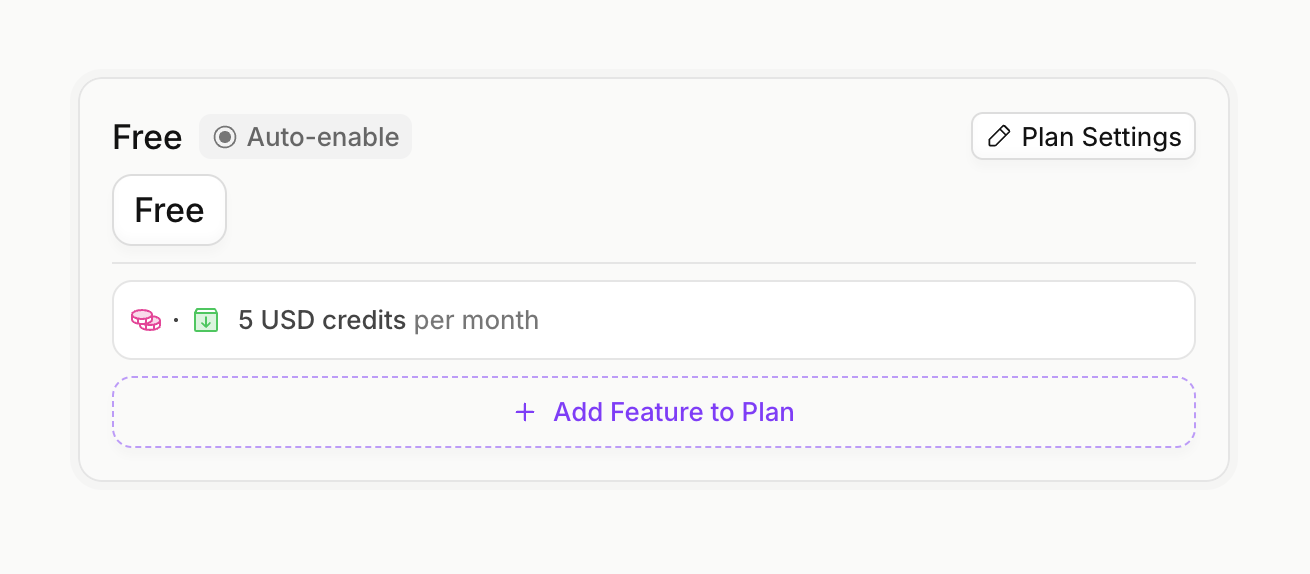
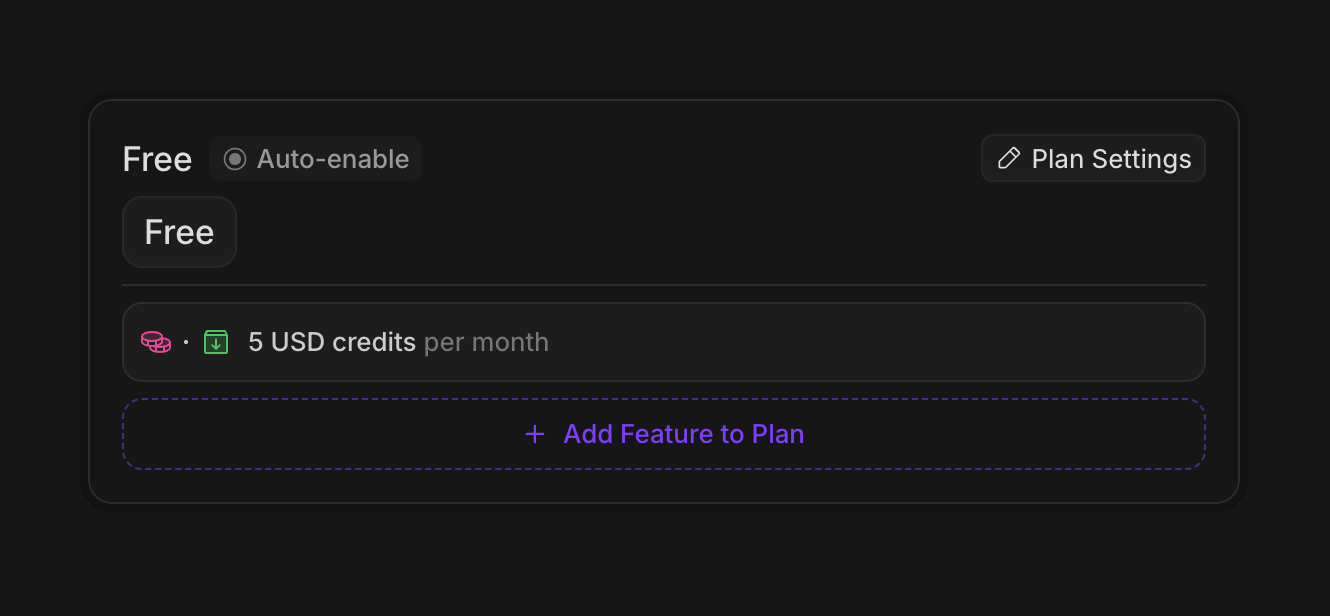
* Free tier: \$5 credits per month for free
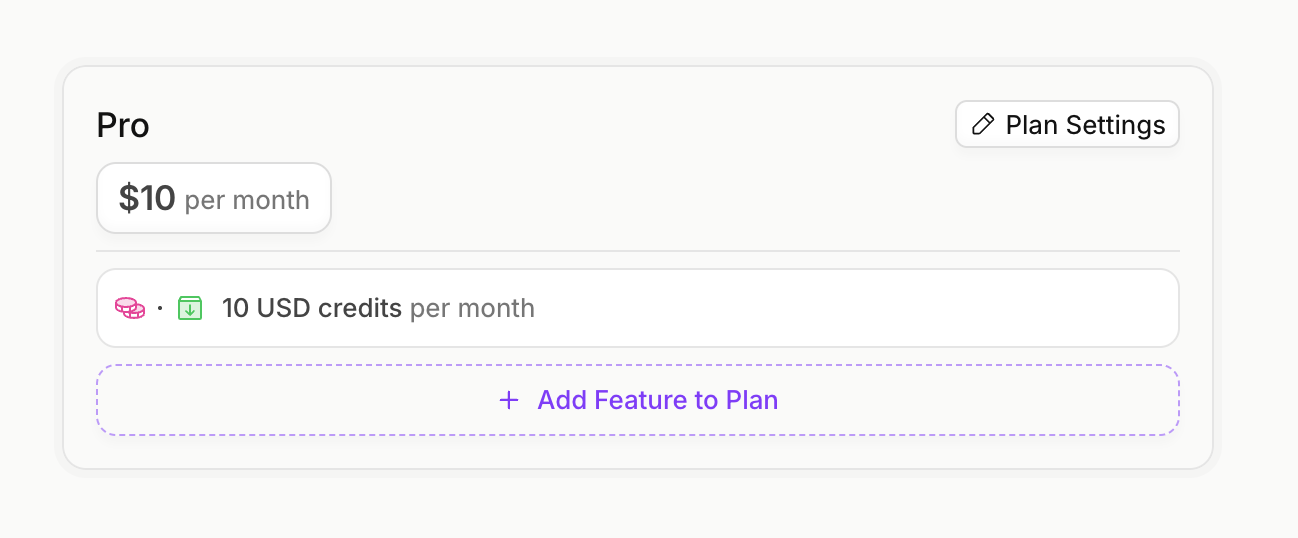
* Pro tier: \$10 credits per month, at \$10 per month
Users should also be able to top up their balance with more credits.
## Configure Pricing
#### Create Features
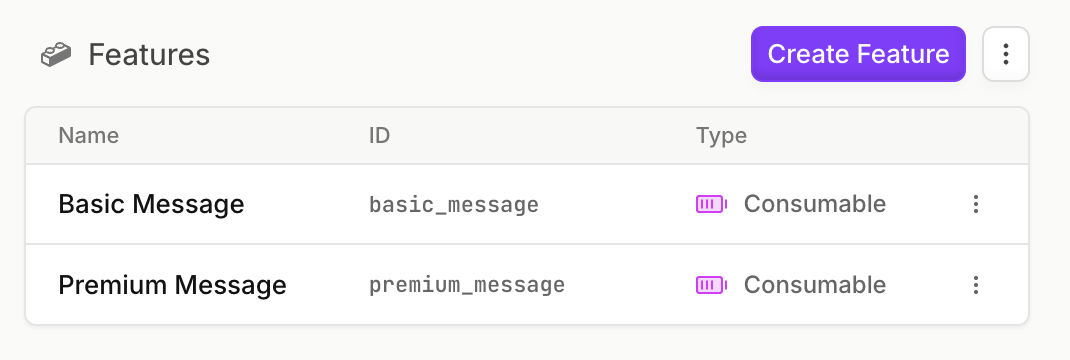
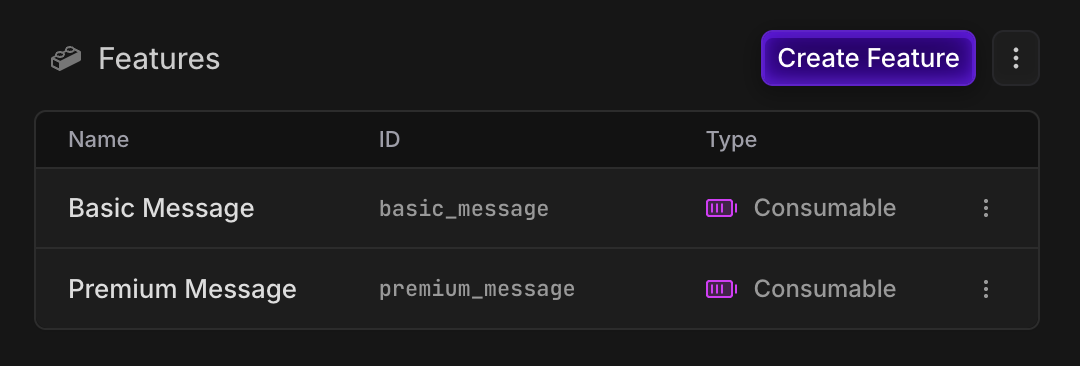
Create a `metered` `consumable` feature for each message type, so that we can track the usage of each:
#### Create Credit System
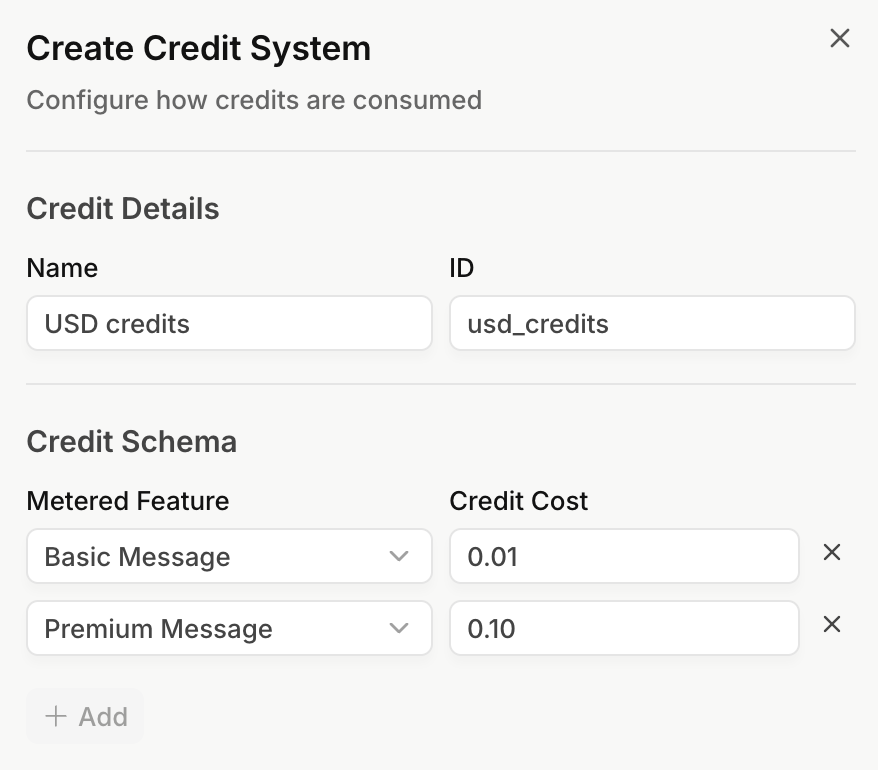
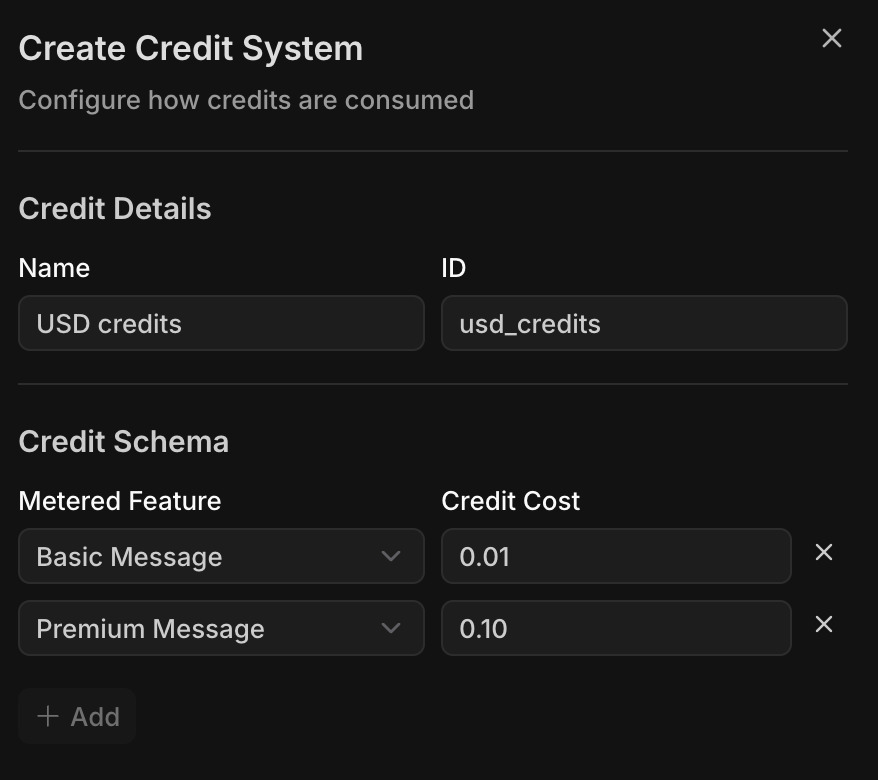
Now, we'll create a credit system, where we'll define the cost of each message type. We'll define the cost per message in USD:
| Feature | Cost per message (USD) | Credit cost per message (USD) |
| --------------- | ---------------------- | ----------------------------- |
| Basic message | \$1 per 100 messages | 0.01 |
| Premium message | \$10 per 100 messages | 0.10 |
#### Create Free, Pro and Top-up Plans
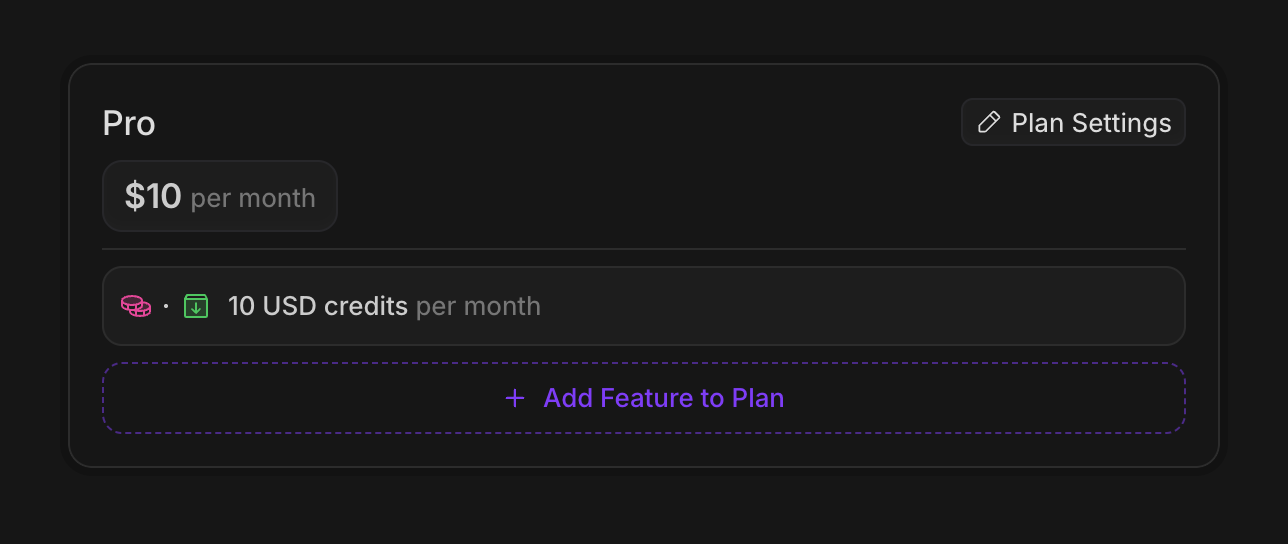
Let's create our free and pro plans, and add the credits amounts to each.
Make sure to set the `auto-enable` flag on the free plan, so that it is automatically assigned to new customers.
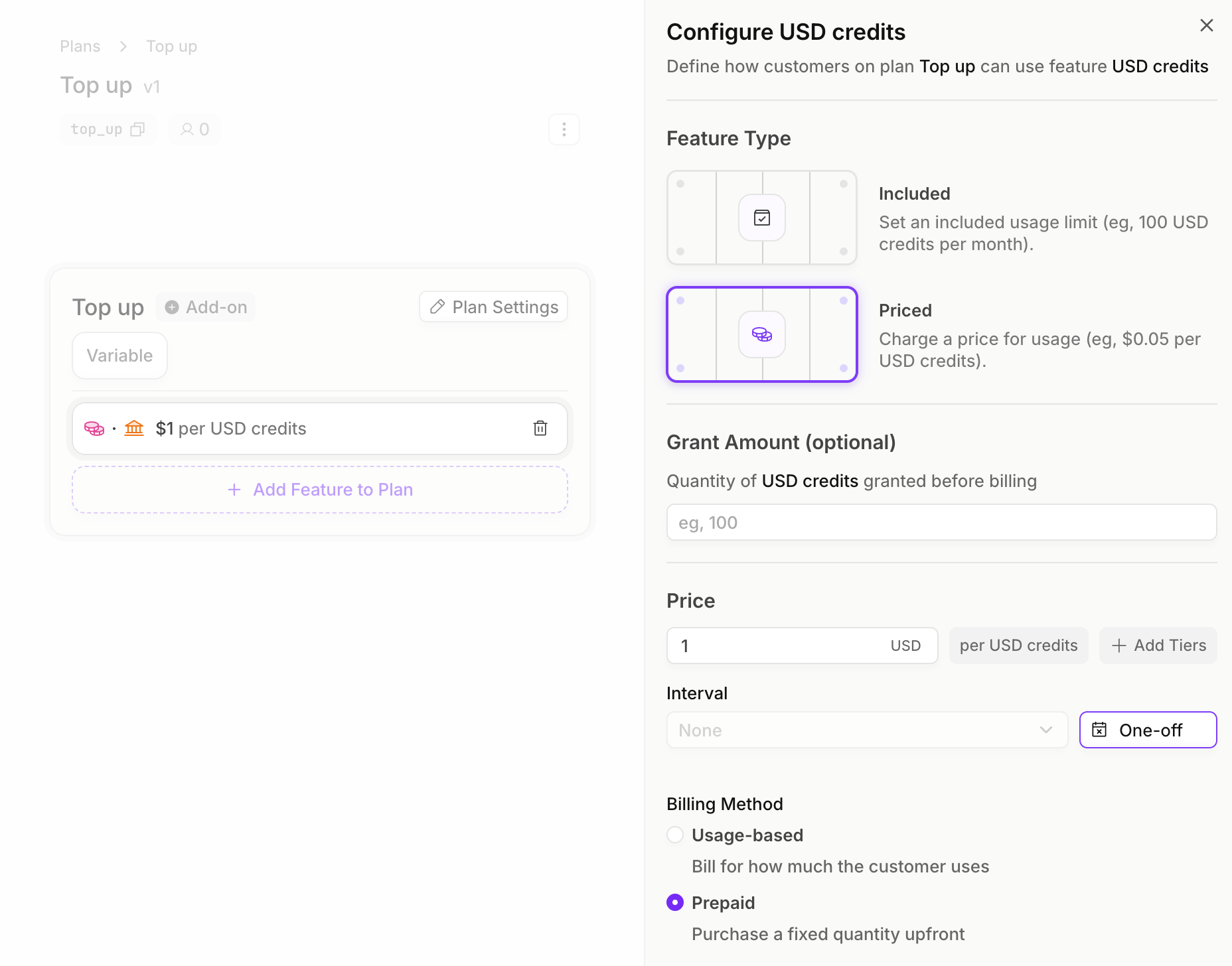
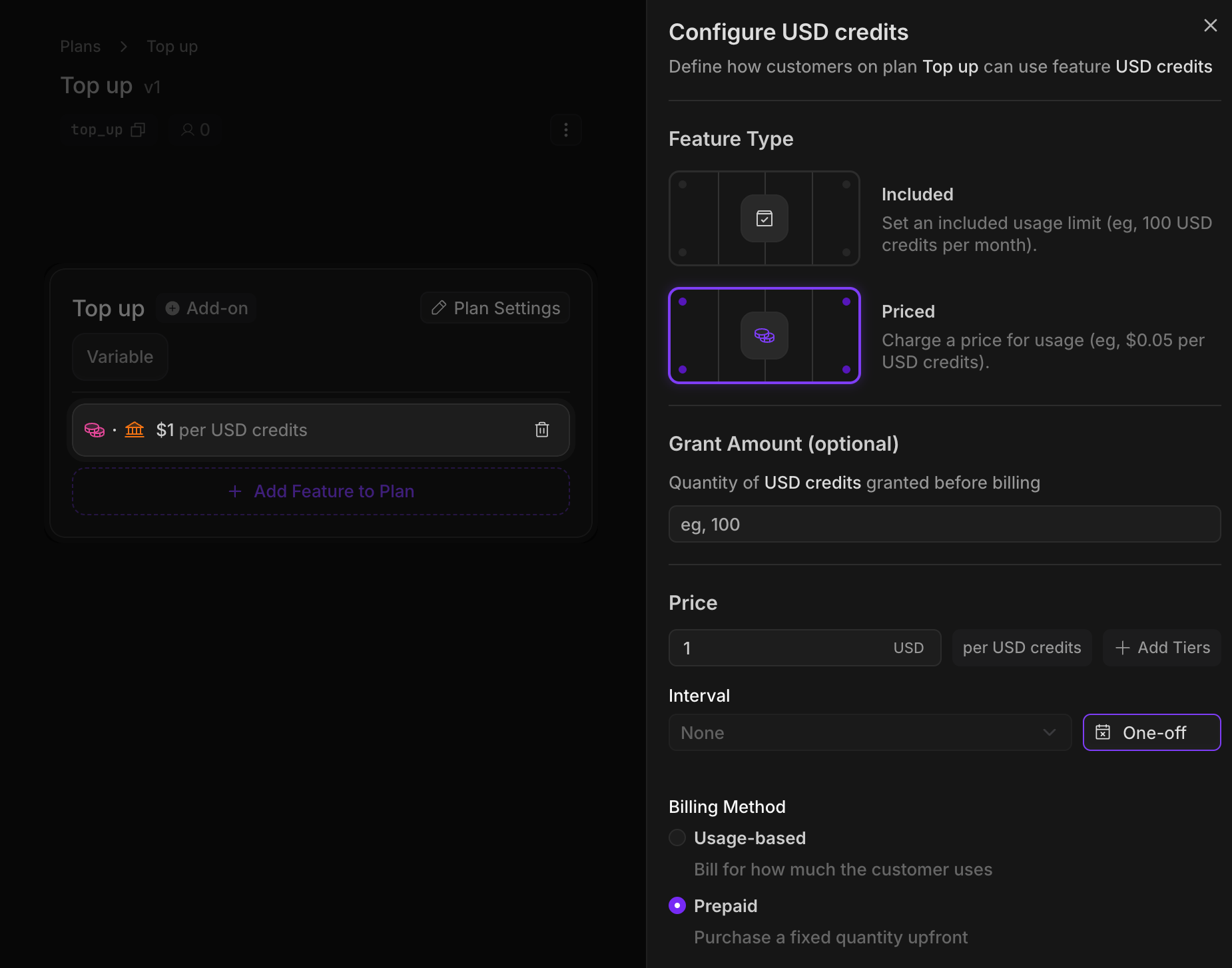
Then, we'll create our top-up plan. We'll add a price to our credit feature, where each credit is worth \$1. These top up credits will be `one-off` `prepaid` purchases that never expire.
## Implementation
#### Create an Autumn Customer
When your user signs up, create an Autumn customer. This will automatically assign them the Free plan, and grant them \$5 credits per month.
```jsx React theme={null}
import { useCustomer } from "autumn-js/react";
const App = () => {
const { data: customer } = useCustomer();
console.log("Autumn customer:", customer);
return
Welcome, {customer?.name || "user"}!
;
};
```
```typescript TypeScript theme={null}
import { Autumn } from "autumn-js";
const autumn = new Autumn({ secretKey: "am_sk_test_1234" });
const customer = await autumn.customers.getOrCreate({
customerId: "user_123",
name: "John Yeo",
email: "john@example.com",
});
```
```python Python theme={null}
from autumn_sdk import Autumn
autumn = Autumn("am_sk_test_1234")
customer = await autumn.customers.get_or_create(
customer_id="user_123",
name="John Yeo",
email="john@example.com",
)
```
```bash cURL theme={null}
curl -X POST "https://api.useautumn.com/v1/customers" \
-H "Authorization: Bearer am_sk_test_1234" \
-H "Content-Type: application/json" \
-d '{
"customer_id": "user_123",
"name": "John Yeo",
"email": "john@example.com"
}'
```
#### Checking for access
Every time our user sends a message to the chatbot, we'll first check if they have enough credits remaining to send the message.
The `requiredBalance` parameter will convert the number of messages to credits. Eg, if you pass `requiredBalance: 5` for basic messages, then check will return `allowed: true` if the user has at least 0.05 USD credits remaining.
Note how we're interacting with the underlying features (`basic_messages`,
`premium_messages`) here--not the credit system.
```jsx React theme={null}
import { useCustomer } from "autumn-js/react";
export function CheckBasicMessage() {
const { check, refetch } = useCustomer();
const handleCheckAccess = async () => {
const { allowed } = check({
featureId: "basic_messages",
requiredBalance: 1
});
if (!allowed) {
alert("You've run out of basic message credits");
} else {
// proceed with sending message
await refetch();
}
};
}
```
```typescript TypeScript theme={null}
import { Autumn } from "autumn-js";
const autumn = new Autumn({ secretKey: "am_sk_test_1234" });
const response = await autumn.customers.check({
customerId: "user_123",
featureId: "basic_messages",
requiredBalance: 1,
});
if (!response.allowed) {
console.log("User has run out of basic message credits");
return;
}
```
```python Python theme={null}
from autumn_sdk import Autumn
autumn = Autumn("am_sk_test_1234")
response = await autumn.customers.check(
customer_id="user_123",
feature_id="basic_messages",
required_balance=1,
)
if not response.allowed:
print("User has run out of basic message credits")
```
```bash cURL theme={null}
curl -X POST "https://api.useautumn.com/v1/check" \
-H "Authorization: Bearer am_sk_test_1234" \
-H "Content-Type: application/json" \
-d '{
"customer_id": "user_123",
"feature_id": "basic_messages",
"required_balance": 1
}'
```
The credit system ID will be returned in the balance.
```json theme={null}
{
"allowed": true,
"customerId": "user_123",
"requiredBalance": 0.01,
"balance": {
"featureId": "usd_credits",
"granted": 5,
"remaining": 5,
"usage": 0,
"unlimited": false,
"overageAllowed": false,
"nextResetAt": 1769110978704
}
}
```
#### Tracking messages and using credits
Now let's implement our usage tracking and use up our credits. In this example, we're using 2 basic messages, which will cost us 0.02 USD credits.
```typescript TypeScript theme={null}
import { Autumn } from "autumn-js";
const autumn = new Autumn({ secretKey: "am_sk_test_1234" });
await autumn.customers.track({
customerId: "user_123",
featureId: "basic_messages",
value: 2,
});
```
```python Python theme={null}
from autumn_sdk import Autumn
autumn = Autumn("am_sk_test_1234")
await autumn.customers.track(
customer_id="user_123",
feature_id="basic_messages",
value=2,
)
```
```bash cURL theme={null}
curl -X POST "https://api.useautumn.com/v1/track" \
-H "Authorization: Bearer am_sk_test_1234" \
-H "Content-Type: application/json" \
-d '{
"customer_id": "user_123",
"feature_id": "basic_messages",
"value": 2
}'
```
```json theme={null}
{
"customerId": "user_123",
"value": 2,
"balance": {
"featureId": "usd_credits",
"granted": 5,
"remaining": 4.98,
"usage": 0.02,
"unlimited": false,
"overageAllowed": false,
"nextResetAt": 1769110978704
}
}
```
#### Upgrading to Pro
We can prompt the user to upgrade. When they click our "upgrade" button, we can use the `billing.attach` route to get a checkout URL for them to make a payment.
```jsx React theme={null}
import { useCustomer } from "autumn-js/react";
export default function UpgradeButton() {
const { attach } = useCustomer();
return (
);
}
```
```typescript TypeScript theme={null}
import { Autumn } from "autumn-js";
const autumn = new Autumn({ secretKey: "am_sk_test_1234" });
const response = await autumn.billing.attach({
customerId: "user_123",
planId: "pro",
});
// Redirect user to checkout
redirect(response.paymentUrl);
```
```python Python theme={null}
from autumn_sdk import Autumn
autumn = Autumn("am_sk_test_1234")
response = await autumn.billing.attach(
customer_id="user_123",
plan_id="pro",
)
# Redirect user to response.payment_url
```
```bash cURL theme={null}
curl -X POST "https://api.useautumn.com/v1/attach" \
-H "Authorization: Bearer am_sk_test_1234" \
-H "Content-Type: application/json" \
-d '{
"customer_id": "user_123",
"plan_id": "pro"
}'
```
#### Purchasing Top-ups
When users run low on credits, they can purchase additional credits using our top-up plan. In this example, the user is purchasing 20 USD credits, which will cost them \$20.
```jsx React theme={null}
import { useCustomer } from "autumn-js/react";
export default function TopUpButton() {
const { attach } = useCustomer();
return (
);
}
```
```typescript TypeScript theme={null}
import { Autumn } from "autumn-js";
const autumn = new Autumn({ secretKey: "am_sk_test_1234" });
const response = await autumn.billing.attach({
customerId: "user_123",
planId: "top_up",
featureQuantities: [{
featureId: "usd_credits",
quantity: 20,
}],
});
redirect(response.paymentUrl);
```
```python Python theme={null}
from autumn_sdk import Autumn
autumn = Autumn("am_sk_test_1234")
response = await autumn.billing.attach(
customer_id="user_123",
plan_id="top_up",
feature_quantities=[{
"feature_id": "usd_credits",
"quantity": 20,
}],
)
# Redirect to response.payment_url
```
```bash cURL theme={null}
curl -X POST "https://api.useautumn.com/v1/attach" \
-H "Authorization: Bearer am_sk_test_1234" \
-H "Content-Type: application/json" \
-d '{
"customer_id": "user_123",
"plan_id": "top_up",
"feature_quantities": [{
"feature_id": "usd_credits",
"quantity": 20
}]
}'
```
 Then, we'll create our top-up plan. We'll add a price to our credit feature, where each credit is worth \$1. These top up credits will be `one-off` `prepaid` purchases that never expire.