> ## Documentation Index
> Fetch the complete documentation index at: https://docs.useautumn.com/llms.txt
> Use this file to discover all available pages before exploring further.
# Per-seat pricing
> Implement per-seat pricing with free included seats and paid additional seats
Per-seat pricing is a common model for B2B SaaS products where customers pay based on the number of users or team members using the product. This guide covers how to implement per-seat pricing with free included seats and paid additional seats.
## Example case
We have a B2B collaboration tool with the following pricing:
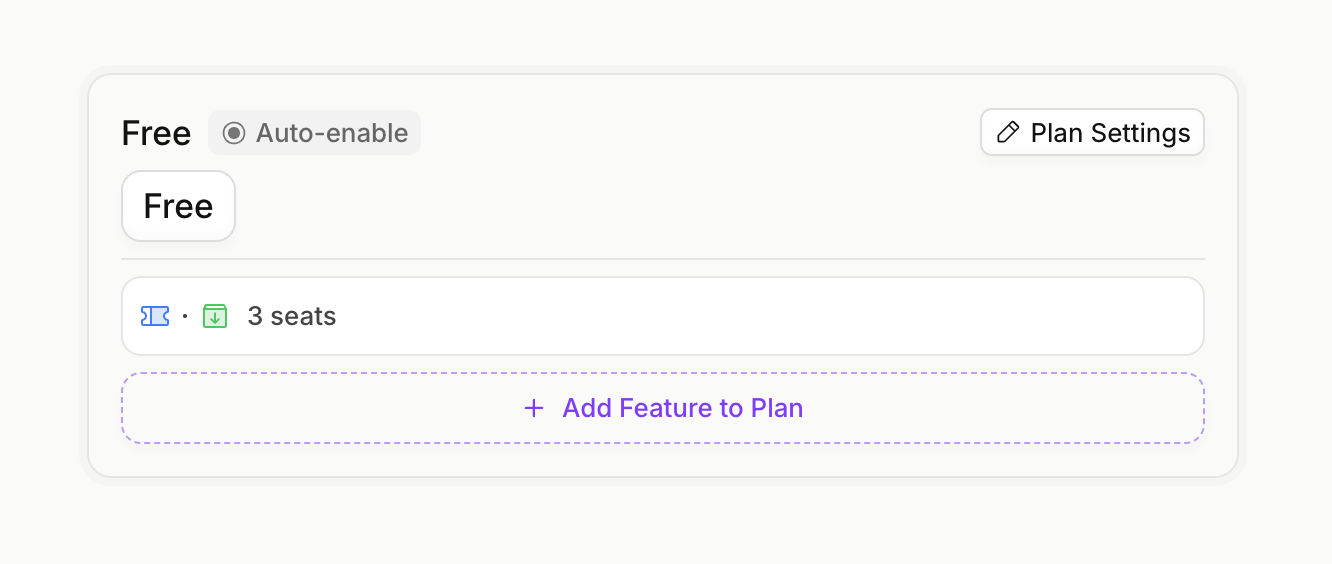
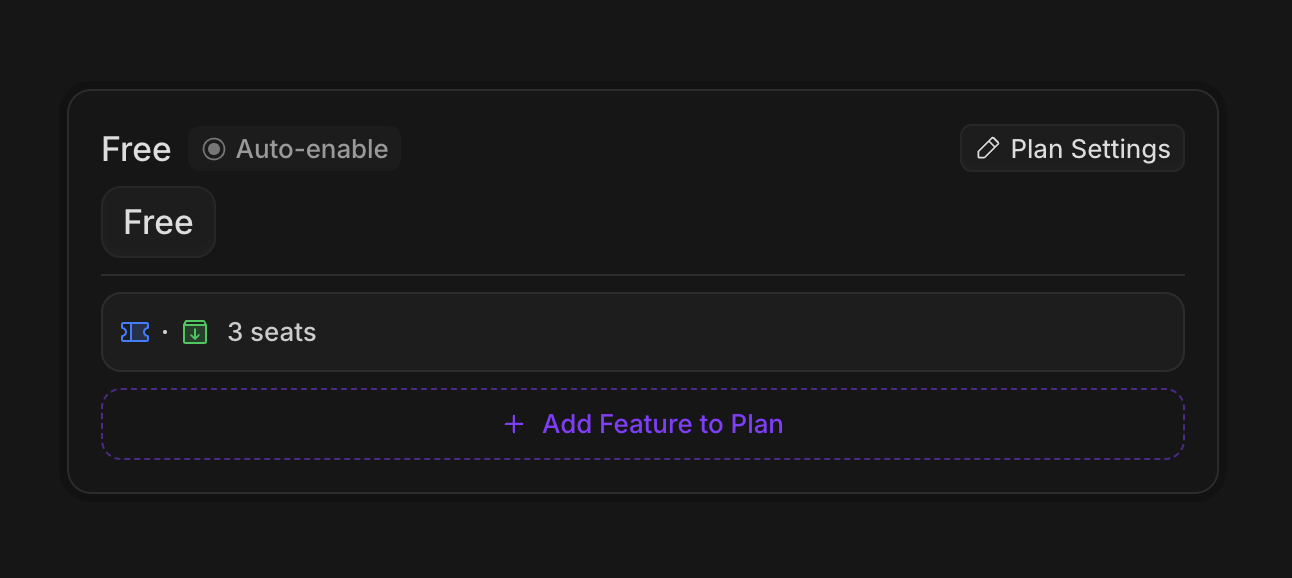
* **Free tier**: 3 seats included for free
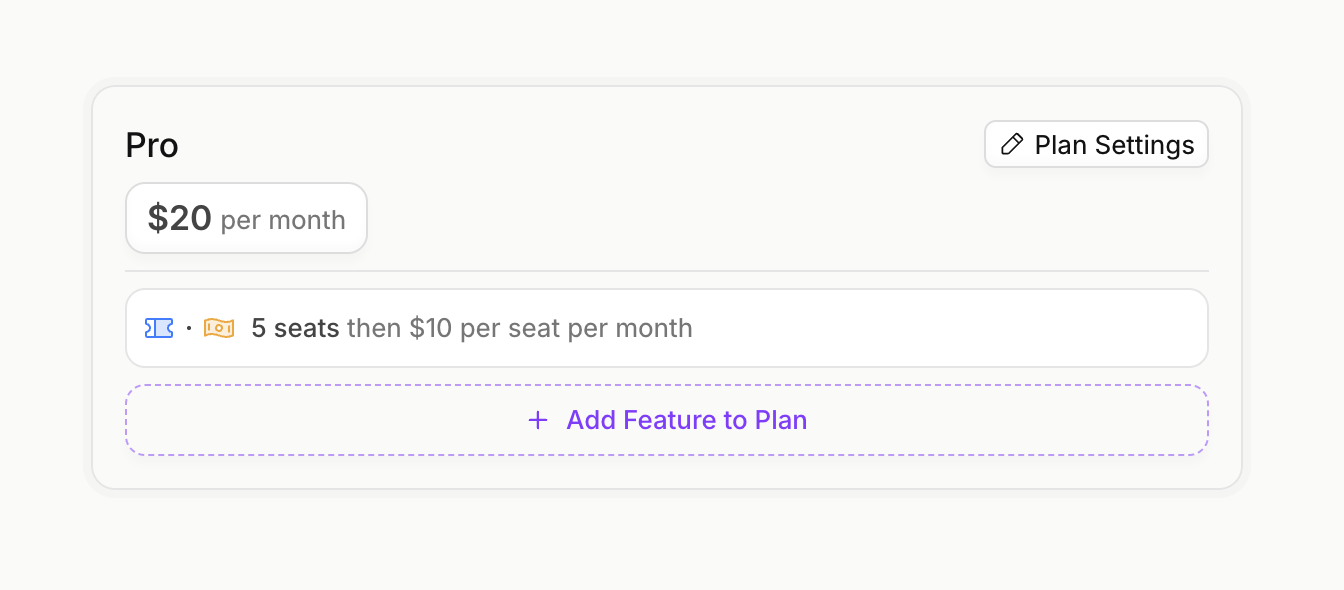
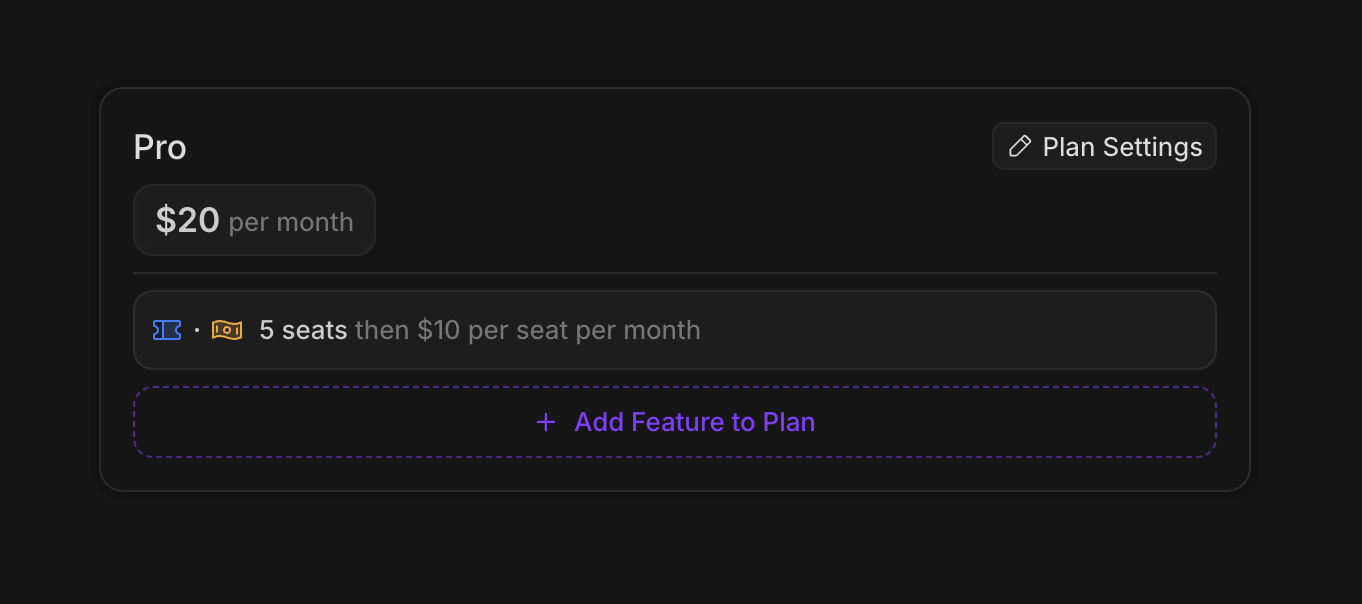
* **Pro tier**: \$20/month base price with 5 seats included, plus \$10/seat/month for additional seats
For additional seats, there are two ways to configure pricing in Autumn:
| Billing Model | Description |
| --------------- | ------------------------------------------------------------------------ |
| **Prepaid** | Customer commits to a fixed number of seats upfront and pays immediately |
| **Usage-based** | Customer pays for actual seats used at the end of each billing cycle |
## Configure Pricing
#### Create Feature
Create a `metered` `non-consumable` feature called "seats". Non-consumable features are for persistent resources like seats, GB storage, or workspaces.
#### Create Free Plan
Create a free plan with 3 included seats. Set `auto-enable` so new customers automatically get this plan.
#### Create Pro Plan
Create a Pro plan with a \$20/month base price and 5 included seats.
For additional seats beyond the included 5, add a priced feature at \$10/seat/month. Choose your billing model:
* **Prepaid**: Customer selects quantity upfront, charged immediately
* **Pay per use**: Customer is billed for actual usage at end of billing cycle
For non-consumable features like seats, you can configure how price changes are handled mid-billing cycle.
**On Increase** (adding seats):
| Option | Behavior |
| --------------------- | ------------------------------------ |
| `prorate_immediately` | Charge prorated amount now (default) |
| `bill_immediately` | Charge full amount now |
| `prorate_next_cycle` | Add prorated amount to next invoice |
| `bill_next_cycle` | Add full amount to next invoice |
**On Decrease** (removing seats):
| Option | Behavior |
| --------------------- | ------------------------------------ |
| `prorate_immediately` | Credit prorated amount now (default) |
| `prorate_next_cycle` | Credit on next invoice |
| `no_prorations` | No refund or credit |
You can configure these in the "Advanced" section when adding the priced feature to your plan.
## Implementation
#### Create an Autumn Customer
When your user signs up, create an Autumn customer. This will automatically assign them the Free plan with 3 included seats.
```jsx React theme={null}
import { useCustomer } from "autumn-js/react";
const App = () => {
const { customer } = useCustomer();
console.log("Autumn customer:", customer);
return
Welcome, {customer?.name || "user"}!
;
};
```
```typescript Node.js theme={null}
import { Autumn } from "autumn-js";
const autumn = new Autumn({
secretKey: 'am_sk_42424242',
});
const { data, error } = await autumn.customers.create({
id: "org_123",
name: "Acme Corp",
email: "admin@acme.com",
});
```
```python Python theme={null}
import asyncio
from autumn import Autumn
autumn = Autumn('am_sk_42424242')
async def main():
customer = await autumn.customers.create(
id="org_123",
name="Acme Corp",
email="admin@acme.com",
)
asyncio.run(main())
```
```bash cURL theme={null}
curl --request POST \
--url https://api.useautumn.com/customers \
--header 'Authorization: Bearer am_sk_42424242' \
--header 'Content-Type: application/json' \
--data '{
"id": "org_123",
"name": "Acme Corp",
"email": "admin@acme.com"
}'
```
#### Check Seat Access
Before adding a new team member, check if the customer has available seats.
```jsx React theme={null}
import { useCustomer } from "autumn-js/react";
export function AddTeamMember() {
const { check } = useCustomer();
const handleAddMember = async () => {
const { data } = check({ featureId: "seats" });
if (!data?.allowed) {
// Prompt upgrade or purchase more seats
alert("No seats available. Please upgrade your plan.");
return;
}
// Proceed with adding team member
};
}
```
```typescript Node.js theme={null}
import { Autumn } from "autumn-js";
const autumn = new Autumn({
secretKey: 'am_sk_42424242',
});
const { data } = await autumn.check({
customer_id: "org_123",
feature_id: "seats",
});
if (!data.allowed) {
console.log("No seats available");
// Prompt upgrade or purchase more seats
}
```
```python Python theme={null}
import asyncio
from autumn import Autumn
autumn = Autumn("am_sk_42424242")
async def main():
response = await autumn.check(
customer_id="org_123",
feature_id="seats",
)
if not response.allowed:
print("No seats available")
# Prompt upgrade or purchase more seats
asyncio.run(main())
```
```bash cURL theme={null}
curl -X POST "https://api.useautumn.com/v1/check" \
-H "Authorization: Bearer am_sk_42424242" \
-H "Content-Type: application/json" \
-d '{
"customer_id": "org_123",
"feature_id": "seats"
}'
```
```json theme={null}
{
"allowed": true,
"customer_id": "org_123",
"feature_id": "seats",
"balance": 1,
"usage": 2,
"included_usage": 3,
"unlimited": false,
"overage_allowed": false
}
```
#### Track Seat Usage
When team members are added, track seat usage. You can use the `track` endpoint to increment usage, or the `usage` endpoint to set the total directly.
Remember to track the usage for the initial user as well, after customer creation.
```typescript Node.js theme={null}
import { Autumn } from "autumn-js";
const autumn = new Autumn({
secretKey: 'am_sk_42424242',
});
// Increment by 1 when a seat is added
await autumn.track({
customer_id: "org_123",
feature_id: "seats",
value: 1,
});
// Or set the total directly
await autumn.usage({
customer_id: "org_123",
feature_id: "seats",
value: 2, // Total seats now in use
});
```
```python Python theme={null}
import asyncio
from autumn import Autumn
autumn = Autumn('am_sk_42424242')
async def main():
# Increment by 1 when a seat is added
await autumn.track(
customer_id="org_123",
feature_id="seats",
value=1,
)
# Or set the total directly
await autumn.features.set_usage(
customer_id="org_123",
feature_id="seats",
value=2, # Total seats now in use
)
asyncio.run(main())
```
```bash cURL theme={null}
# Increment by 1
curl -X POST "https://api.useautumn.com/v1/track" \
-H "Authorization: Bearer am_sk_42424242" \
-H "Content-Type: application/json" \
-d '{
"customer_id": "org_123",
"feature_id": "seats",
"value": 1
}'
# Or set total directly
curl -X POST "https://api.useautumn.com/v1/usage" \
-H "Authorization: Bearer am_sk_42424242" \
-H "Content-Type: application/json" \
-d '{
"customer_id": "org_123",
"feature_id": "seats",
"value": 2
}'
```
Seat usage tracked on the Free tier will **carry over** when the customer upgrades to Pro. If a customer is using 2 seats on Free and upgrades to Pro, those 2 seats remain in use and count against Pro's included seats.
#### Upgrade to Pro
When the customer upgrades to Pro, use the `checkout` endpoint. If they need additional paid seats beyond the 5 included, pass the quantity in `options`.
The `quantity` in options represents the **additional paid seats only**, not total seats. Pro includes 5 seats, so if the customer wants 8 total seats, pass `quantity: 3`.
```jsx React theme={null}
import { useCustomer, CheckoutDialog } from "autumn-js/react";
export default function UpgradeButton() {
const { checkout } = useCustomer();
return (
);
}
```
```typescript Node.js theme={null}
import { Autumn } from "autumn-js";
const autumn = new Autumn({
secretKey: 'am_sk_42424242',
});
// Customer wants 8 total seats (5 included + 3 paid)
const { data } = await autumn.checkout({
customer_id: "org_123",
product_id: "pro",
options: [{
feature_id: "seats",
quantity: 3, // 3 paid seats beyond the 5 included
}],
});
if (data.url) {
// Redirect to Stripe checkout
}
```
```python Python theme={null}
import asyncio
from autumn import Autumn
autumn = Autumn("am_sk_42424242")
async def main():
# Customer wants 8 total seats (5 included + 3 paid)
response = await autumn.checkout(
customer_id="org_123",
product_id="pro",
options=[{
"feature_id": "seats",
"quantity": 3, # 3 paid seats beyond the 5 included
}],
)
if response.url:
# Redirect to Stripe checkout
pass
asyncio.run(main())
```
```bash cURL theme={null}
curl -X POST "https://api.useautumn.com/v1/checkout" \
-H "Authorization: Bearer am_sk_42424242" \
-H "Content-Type: application/json" \
-d '{
"customer_id": "org_123",
"product_id": "pro",
"options": [{
"feature_id": "seats",
"quantity": 3
}]
}'
```
If the customer only needs the 5 included seats, pass `quantity: 0` or omit the options entirely.
#### Update Seat Quantity
How you update seat quantity depends on your billing model:
For prepaid seats, use the `attach` endpoint with updated `options` to change the seat quantity. This will handle proration based on your configuration.
```jsx React theme={null}
import { useCustomer, CheckoutDialog } from "autumn-js/react";
export default function AddSeatsButton() {
const { checkout } = useCustomer();
return (
);
}
```
```typescript Node.js theme={null}
import { Autumn } from "autumn-js";
const autumn = new Autumn({
secretKey: 'am_sk_42424242',
});
// Increase from 3 paid seats to 5 paid seats (8 total → 10 total)
const { data } = await autumn.attach({
customer_id: "org_123",
product_id: "pro",
options: [{
feature_id: "seats",
quantity: 5, // New paid seat count
}],
});
```
```python Python theme={null}
import asyncio
from autumn import Autumn
autumn = Autumn("am_sk_42424242")
async def main():
# Increase from 3 paid seats to 5 paid seats (8 total → 10 total)
response = await autumn.attach(
customer_id="org_123",
product_id="pro",
options=[{
"feature_id": "seats",
"quantity": 5, # New paid seat count
}],
)
asyncio.run(main())
```
```bash cURL theme={null}
curl -X POST "https://api.useautumn.com/v1/attach" \
-H "Authorization: Bearer am_sk_42424242" \
-H "Content-Type: application/json" \
-d '{
"customer_id": "org_123",
"product_id": "pro",
"options": [{
"feature_id": "seats",
"quantity": 5
}]
}'
```
**Prepaid quantity math:**
* Pro includes 5 seats
* Current: `quantity: 3` → 8 total seats (5 + 3)
* Updated: `quantity: 5` → 10 total seats (5 + 5)
* Customer is charged prorated amount for 2 additional seats
For usage-based seats, simply track the actual seat usage. Billing happens automatically at the end of each billing cycle based on usage.
```typescript Node.js theme={null}
import { Autumn } from "autumn-js";
const autumn = new Autumn({
secretKey: 'am_sk_42424242',
});
// When a new team member is added
await autumn.track({
customer_id: "org_123",
feature_id: "seats",
value: 1,
});
// Or set the exact count
await autumn.usage({
customer_id: "org_123",
feature_id: "seats",
value: 10, // Now using 10 seats total
});
```
```python Python theme={null}
import asyncio
from autumn import Autumn
autumn = Autumn('am_sk_42424242')
async def main():
# When a new team member is added
await autumn.track(
customer_id="org_123",
feature_id="seats",
value=1,
)
# Or set the exact count
await autumn.features.set_usage(
customer_id="org_123",
feature_id="seats",
value=10, # Now using 10 seats total
)
asyncio.run(main())
```
```bash cURL theme={null}
# Increment when adding a seat
curl -X POST "https://api.useautumn.com/v1/track" \
-H "Authorization: Bearer am_sk_42424242" \
-H "Content-Type: application/json" \
-d '{
"customer_id": "org_123",
"feature_id": "seats",
"value": 1
}'
# Or set the exact count
curl -X POST "https://api.useautumn.com/v1/usage" \
-H "Authorization: Bearer am_sk_42424242" \
-H "Content-Type: application/json" \
-d '{
"customer_id": "org_123",
"feature_id": "seats",
"value": 10
}'
```
With usage-based billing, if the customer uses 10 seats and Pro includes 5, they'll be charged for 5 additional seats (\$50) at the end of the billing cycle.
#### Decrease Seat Quantity
When team members leave, you'll want to decrease the seat count.
Update the `options` with a lower quantity. Depending on your proration configuration, the customer may receive a credit.
```typescript Node.js theme={null}
import { Autumn } from "autumn-js";
const autumn = new Autumn({
secretKey: 'am_sk_42424242',
});
// Decrease from 5 paid seats to 2 paid seats (10 total → 7 total)
const { data } = await autumn.attach({
customer_id: "org_123",
product_id: "pro",
options: [{
feature_id: "seats",
quantity: 2, // New paid seat count
}],
});
```
```python Python theme={null}
import asyncio
from autumn import Autumn
autumn = Autumn("am_sk_42424242")
async def main():
# Decrease from 5 paid seats to 2 paid seats (10 total → 7 total)
response = await autumn.attach(
customer_id="org_123",
product_id="pro",
options=[{
"feature_id": "seats",
"quantity": 2, # New paid seat count
}],
)
asyncio.run(main())
```
```bash cURL theme={null}
curl -X POST "https://api.useautumn.com/v1/attach" \
-H "Authorization: Bearer am_sk_42424242" \
-H "Content-Type: application/json" \
-d '{
"customer_id": "org_123",
"product_id": "pro",
"options": [{
"feature_id": "seats",
"quantity": 2
}]
}'
```
Track the removal or set the new total directly.
```typescript Node.js theme={null}
import { Autumn } from "autumn-js";
const autumn = new Autumn({
secretKey: 'am_sk_42424242',
});
// Decrement by 1 when a seat is removed
await autumn.track({
customer_id: "org_123",
feature_id: "seats",
value: -1,
});
// Or set the new total
await autumn.usage({
customer_id: "org_123",
feature_id: "seats",
value: 7, // Now using 7 seats
});
```
```python Python theme={null}
import asyncio
from autumn import Autumn
autumn = Autumn('am_sk_42424242')
async def main():
# Decrement by 1 when a seat is removed
await autumn.track(
customer_id="org_123",
feature_id="seats",
value=-1,
)
# Or set the new total
await autumn.features.set_usage(
customer_id="org_123",
feature_id="seats",
value=7, # Now using 7 seats
)
asyncio.run(main())
```
```bash cURL theme={null}
# Decrement by 1
curl -X POST "https://api.useautumn.com/v1/track" \
-H "Authorization: Bearer am_sk_42424242" \
-H "Content-Type: application/json" \
-d '{
"customer_id": "org_123",
"feature_id": "seats",
"value": -1
}'
# Or set new total
curl -X POST "https://api.useautumn.com/v1/usage" \
-H "Authorization: Bearer am_sk_42424242" \
-H "Content-Type: application/json" \
-d '{
"customer_id": "org_123",
"feature_id": "seats",
"value": 7
}'
```
## Summary
| Billing Model | Add Seats | Remove Seats | When Billed |
| --------------- | ---------------------------- | ------------------------------ | ---------------------- |
| **Prepaid** | `attach` with new `quantity` | `attach` with lower `quantity` | Immediately (prorated) |
| **Usage-based** | `track` or `usage` | `track` (negative) or `usage` | End of billing cycle |