If a user hits a usage limit you granted them, they may be willing to purchase a “top-up”.
These are typically one-time purchases that grant a fixed usage of a feature. However, they can also be recurring add-on packs, or
This gives users a controlled purchase, and allows you to get paid upfront. For these reasons, it tends to be a more popular alternative to “pay-as-you-go” pricing.
Popularized by companies like OpenAI, this has a number of advantages, like committing customers to a certain usage, and getting paid upfront for services.
Example case
In this example, we have a video transcription service that offers
- 10 minutes of free transcription
- Customers can purchase additional minutes in packages of $10 per 60 minutes.
- The packages will have tiered pricing: if they purchase more than 300 minutes, the additional minutes will be $5 per 60 minutes.
Setup
Let’s create our products. We’ll create our base free product and our prepaid package product.
Base Product
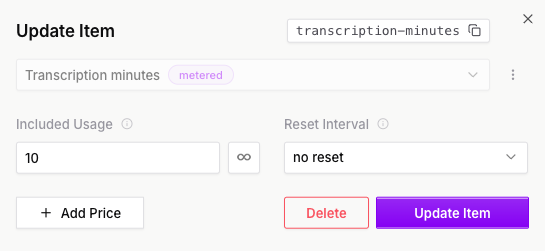
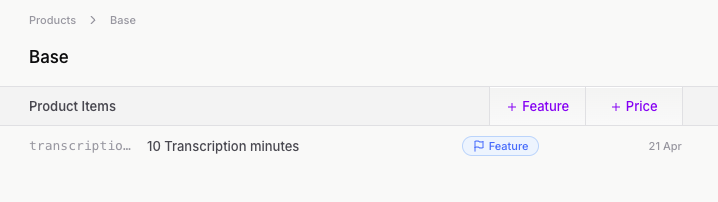
Included usage will be set to 10, for 10 minutes of free transcription. Since our free minutes don’t refresh (eg, it’s not 10 minutes per month), we set Reset Interval to “no reset”.
Top-up minutes Product
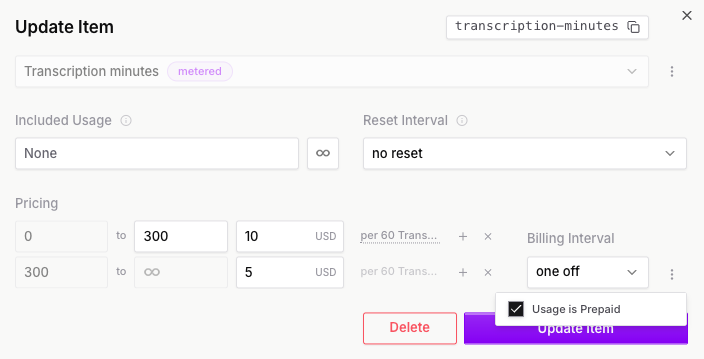
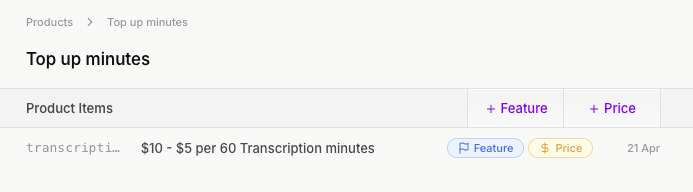
Now we’ll create our top-up minutes product. We’ll set the included usage to 0, and again set Reset Interval to “no reset”. We’ve added a tiered price for the top-up minutes and importantly set the “usage is prepaid” flag.
This tells Autumn to expect a quantity to be sent in when a customer attaches this product.
Implementation
Checking if they can transcribe
Whenever our user wants to transcribe a video, we’ll first check if they have enough transcription-minutes left.
curl -X POST "https://api.useautumn.com/v1/check" \
-H "Authorization: Bearer am_sk_1234567890" \
-H "Content-Type: application/json" \
-d '{
  "customer_id": "john-yeo",
  "feature_id": "transcription-minutes"
}'
{
  "customer_id": "john-yeo",
  "feature_id": "transcription-minutes",
  "code": "feature_found",
  "allowed": true,
  "balances": [
    {
      "feature_id": "transcription-minutes",
      "required": 1,
      "balance": 10
    }
  ]
}
Autumn automatically created our customer and assigned them the base product.
Using up minutes
Now let’s implement our usage tracking and use up our minutes.
curl -X POST "https://api.useautumn.com/v1/track" \
-H "Authorization: Bearer am_sk_1234567890" \
-H "Content-Type: application/json" \
-d '{
  "customer_id": "john-yeo",
  "feature_id": "transcription-minutes",
  "value": 10
}'
{
  "id": "evt_2w5dzidzFD1cESxOGnn9frVuVcm",
  "code": "event_received",
  "customer_id": "john-yeo",
  "feature_id": "transcription-minutes"
}
check route again, we’ll get allowed: false. We can use this to prompt our user to purchase a top-up.
Purchasing a top-up
For our top-up flow, when a customer clicks “purchase” and chooses a quantity, we’ll use the attach route to get a Stripe Checkout URL for them to make a payment.
curl -X POST "https://api.useautumn.com/v1/attach" \
-H "Authorization: Bearer am_sk_1234567890" \
-H "Content-Type: application/json" \
-d '{
  "customer_id": "john-yeo",
  "product_id": "top-up-minutes",
  "quantity": 420
}'
- 300 minutes at $10 per 60 minutes = $50
- 120 minutes at $5 per 60 minutes = $10
So the total charge is $60.
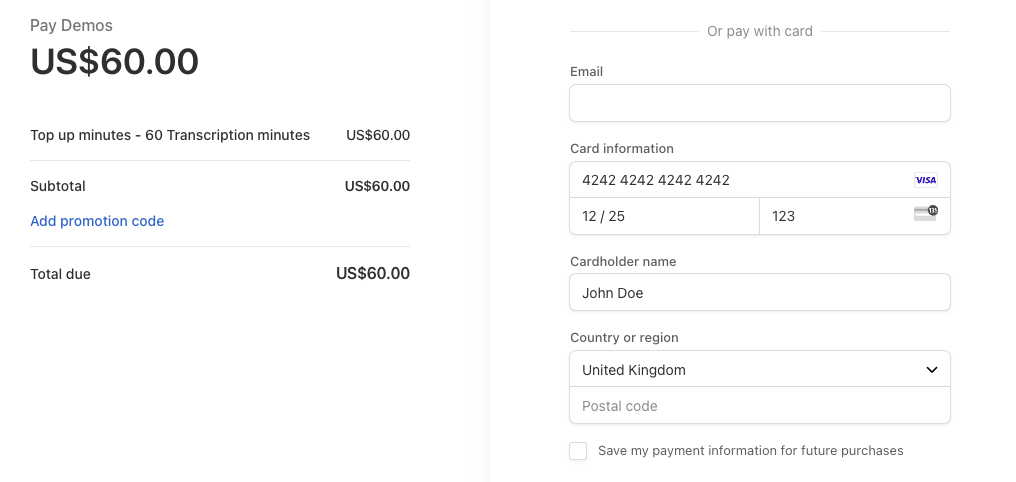 Once our customer pays, we can see they have an additional 420 minutes available from the top-up product.
 The customer can now use more transcription minutes, and top up again if they run out.
