

This is currently in beta, please reach out to us on Discord or email us at support@useautumn.com to get access.
Setup Guide
1
Connect RevenueCat to Autumn
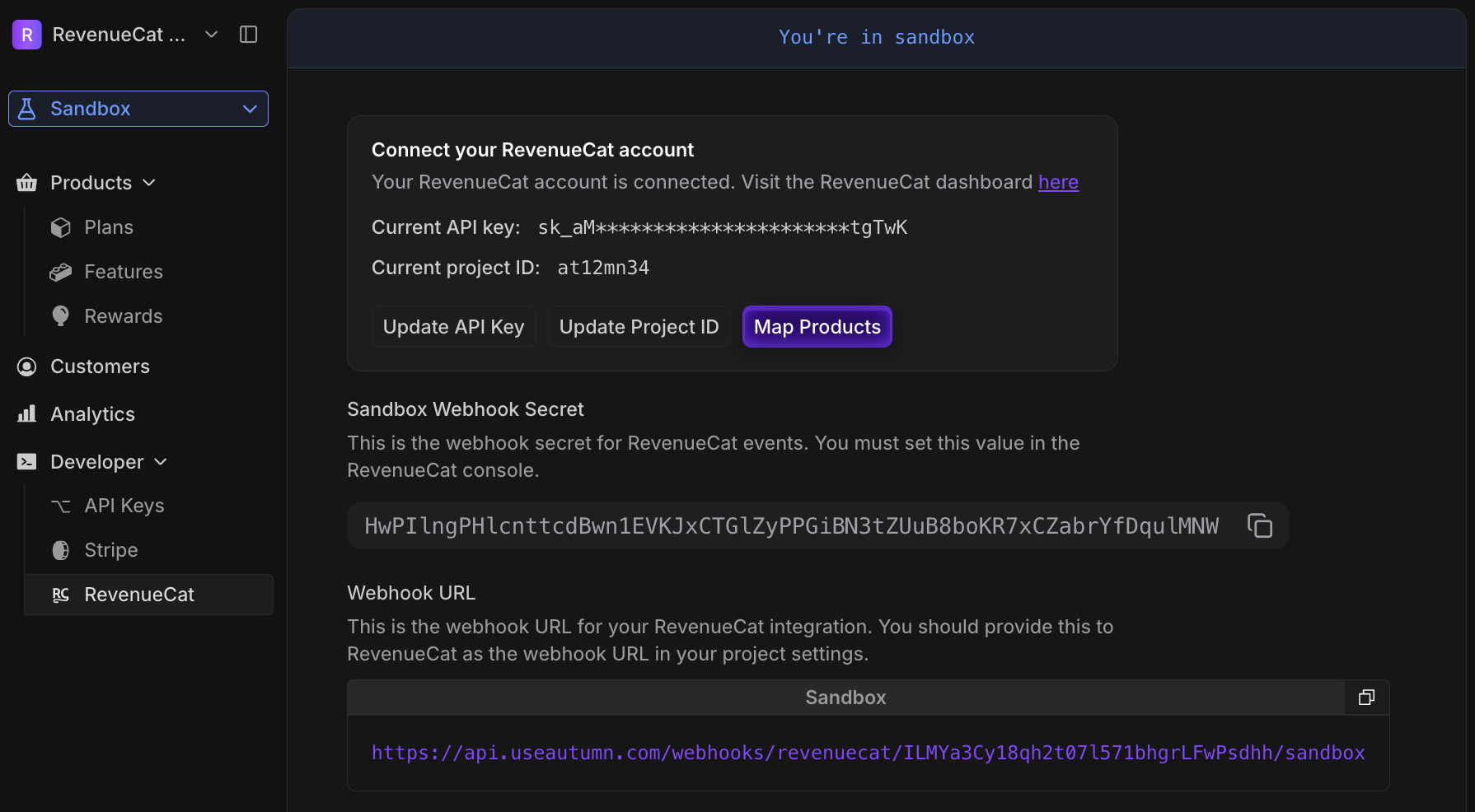
To connect RevenueCat to Autumn, you’ll need:- A RevenueCat project ID
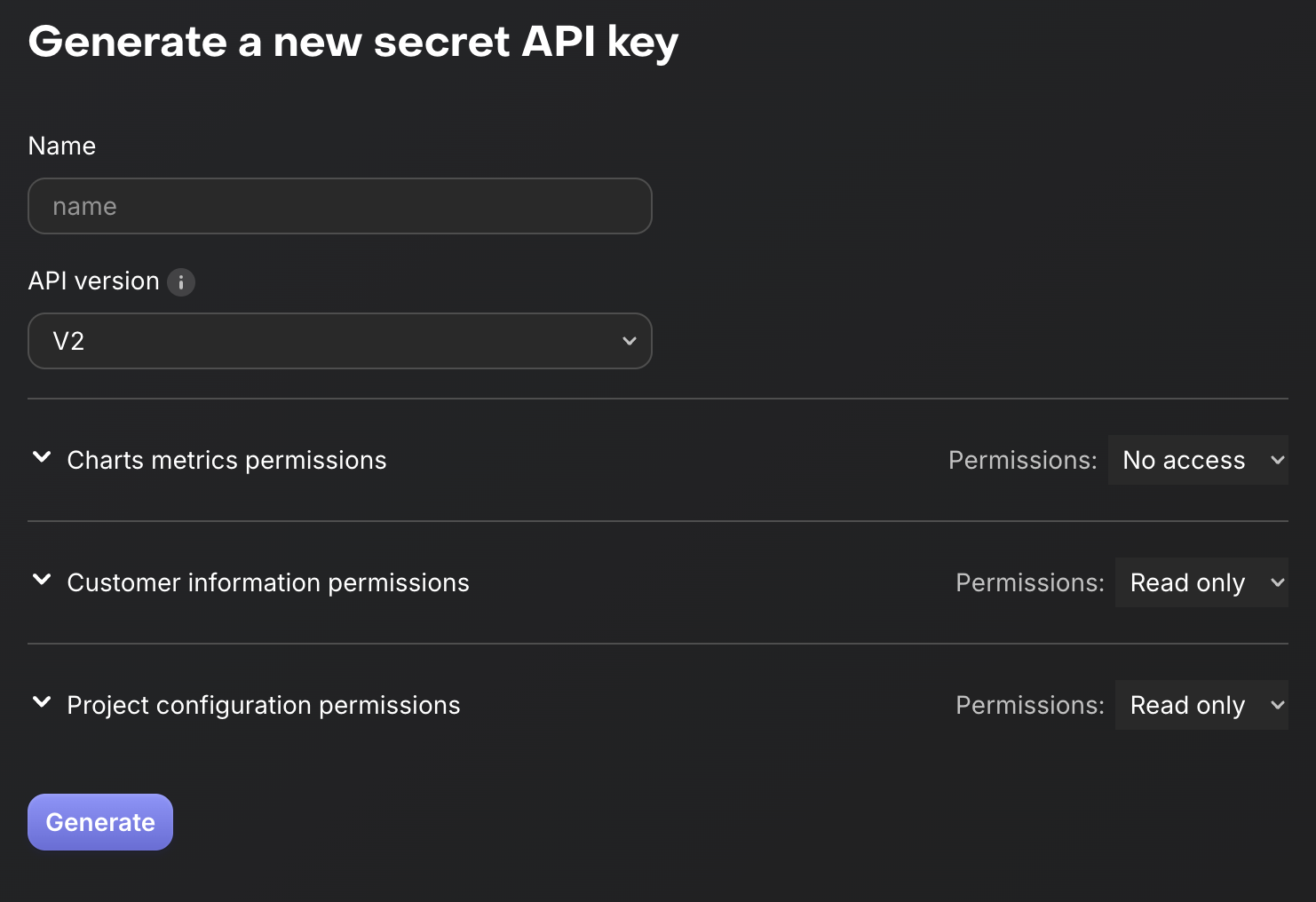
- A RevenueCat API key
https://app.revenuecat.com/projects/1234567890/overview will have a project ID of 1234567890.
- API Version: V2
- Charts metrics permissions: No access
- Customer information permissions: Read only
- Project configuration permissions: Read only
2
Map your RevenueCat products to Autumn products
When a RevenueCat product is purchased, define which Autumn product should be enabled for the customer.RevenueCat products are mapped at the store-level into Autumn. This means instead of mapping a Package or an Offering, you will be mapping Products from Google Play, Apple Store, Roku or etc… instead.You can still use this in conjunction with RevenueCat’s paywalls, packages and offerings however you wish.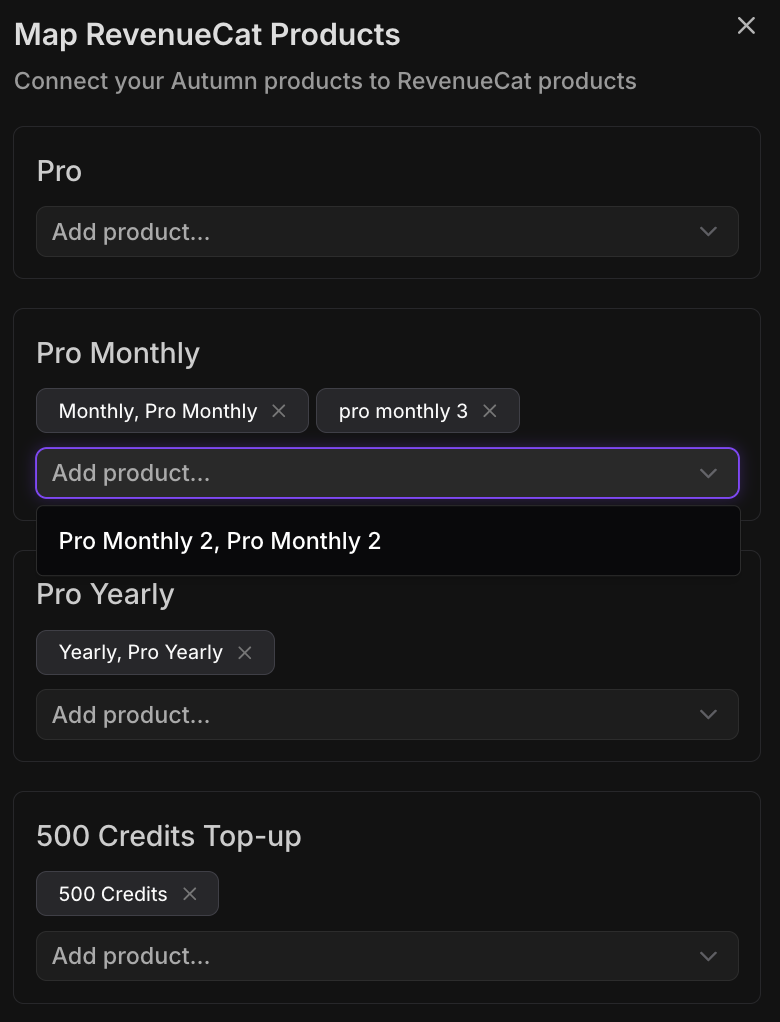
3
Set up the webhook integration
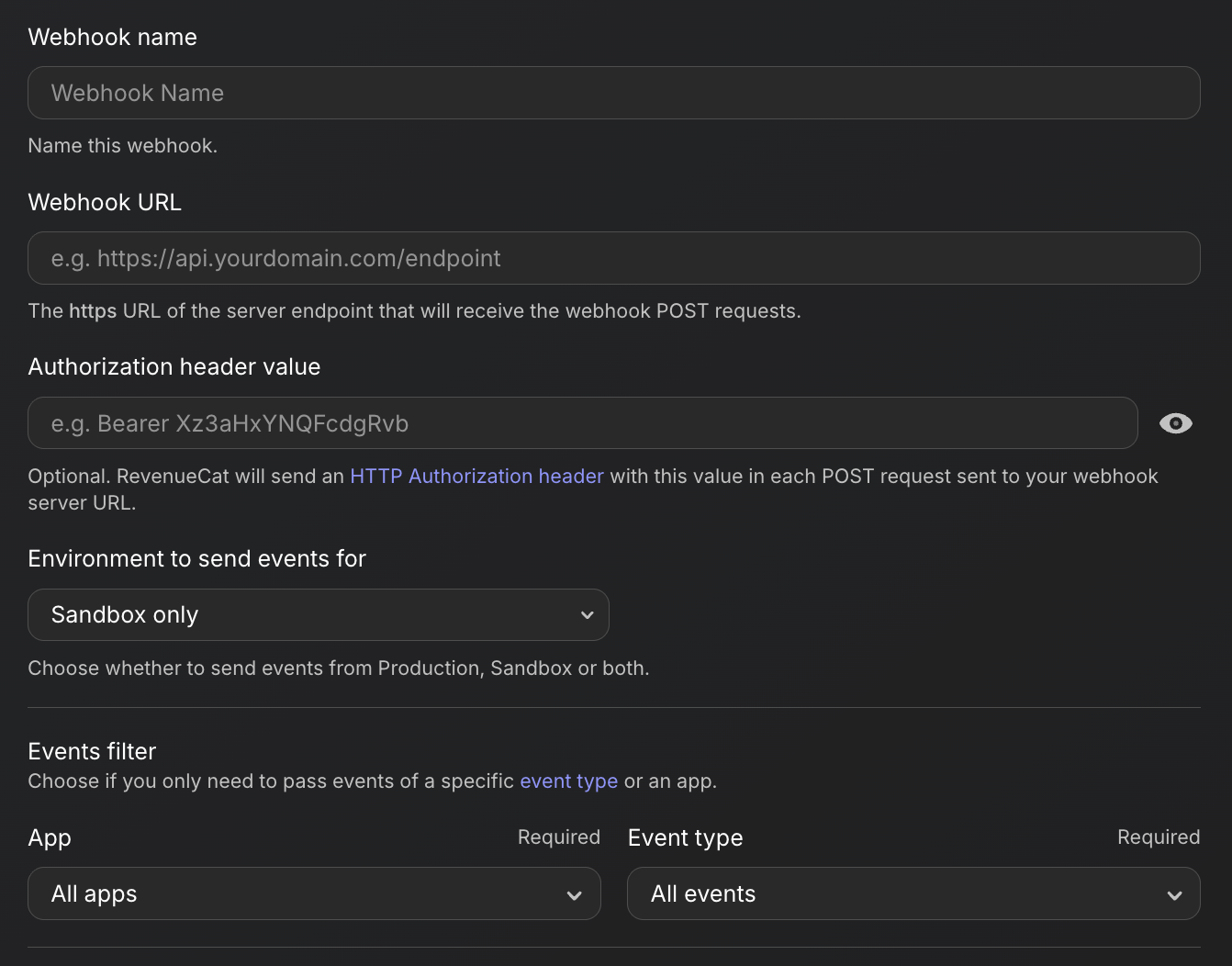
For Autumn to recieve updates from RevenueCat, you’ll need to set up a webhook integration.In RevenueCat, visit “Integrations > Webhooks”, and click “Add new configuration”. Use the following configuration:- Webhook URL: paste this from the Autumn dashboard
- Authorization header value: paste this from the Autumn dashboard
- Environments: Depending on your Autumn environment, you are given two different URLs. This means you should also separate your RevenueCat webhooks for test and live environments.
- Events filter: All apps, all events.
4
Integration
You should not call Autumn’sattach() or checkout() functions. Instead you should either use RevenueCat’s SDK or RevenueCat’s paywalls.When the user pays via mobile, the plan will automatically sync into Autumn. Once you have purchased a product or an add-on, you may then continue using check() or track() to manage your features.Any existing Autumn customers (that have purchased a plan via Stripe / Web) can still access their balances and features as normal on mobile. They will have an active plan in their customer object.When integrating RevenueCat and initiating your Purchases instance, you must use the appUserID parameter to pass in the customer ID from your auth system.
This will allow you to sync the customer ID into Autumn, whether its a new user or an existing user from Stripe.purchasePackage function from the Purchases SDK, or open a paywall.5
Congratulations!
You have now successfully integrated Autumn with RevenueCat.You can now use thecheck() and track() functions to manage your features as usual.Versioning Plans
Autumn’s plan versioning feature allows you to update your pricing and migrate customers between versions. However, since mobile billing has specific limitations and is handled by RevenueCat, you should keep the following in mind:- Whenever a RevenueCat product is purchased, the latest version of the Autumn plan will be enabled for the customer.
- Any price set in Autumn is ignored: only the price set in RevenueCat will be used
- If you migrate a customer from one plan version to another, the plan features will be immediately updated — just as with the standard migration process. Prices will not be updated. You should handle this in RevenueCat (your customers may need to opt-in to the new pricing).