Drop in Autumn’s Pricing Table component to display your products and plans
The pricing table component displays your available plans, plan features and pricing.The pricing card button will dynamically update it’s text (eg upgrade, downgrade) and disabled state based on the user’s current product and plan, and handle payments.
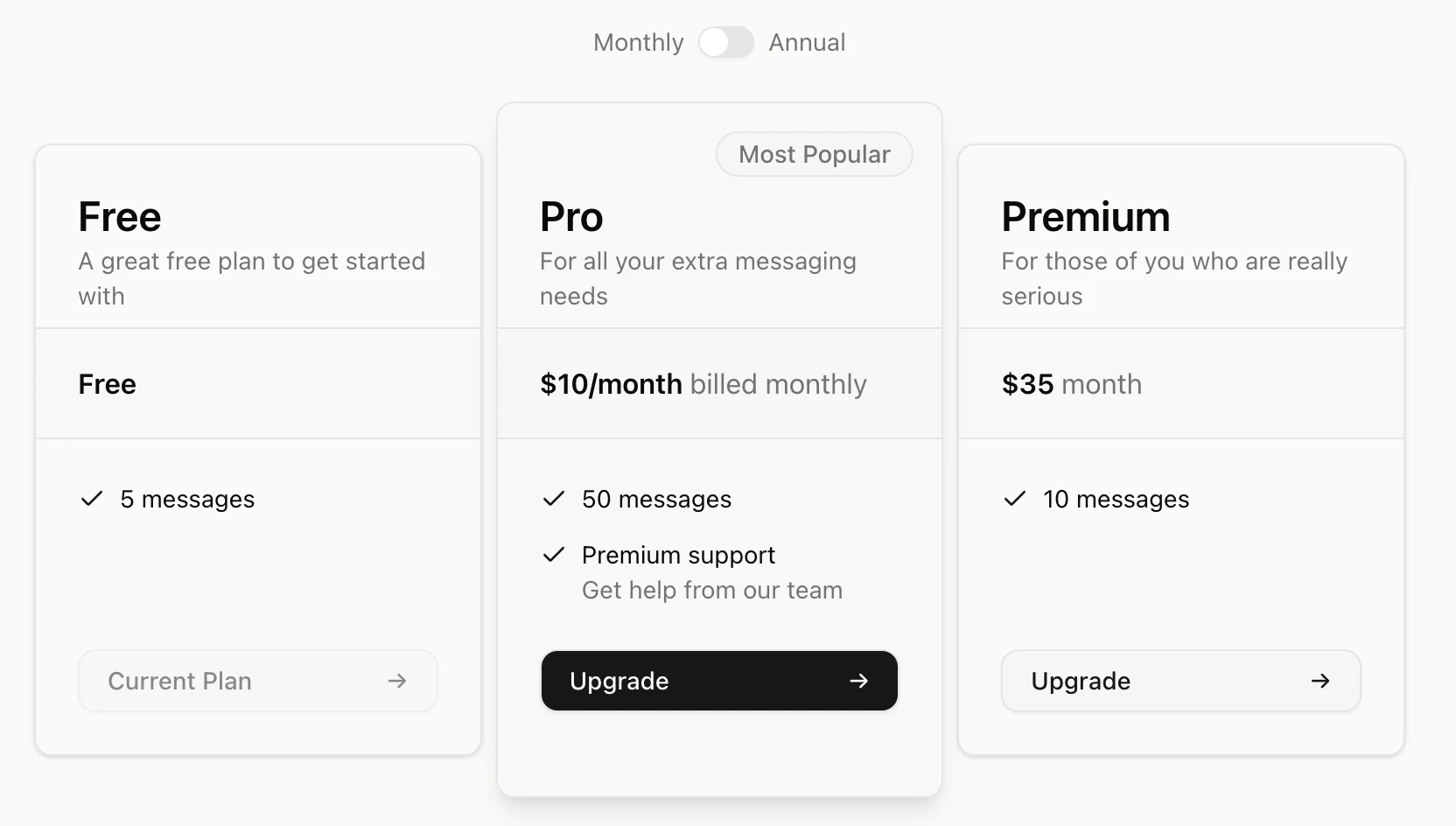
You can use the component as is, or download the shadcn/ui component and edit it to your needs.Use React component directly
The Pricing Table component calls the products endpoint, which does not require a customer_id. This means you can display the pricing table to unauthenticated users.
The component can take in productDetails, which can be used to pass in content that can override the default contents (which are generated from your Autumn products). The example below was used to render the screenshot above.
Copy
Ask AI
const productDetails = [ { id: "free", description: "A great free plan to get started with", }, { id: "pro", description: "For all your extra messaging needs", recommendText: "Most Popular", price: { primaryText: "$10/month", secondaryText: "billed monthly", }, items: [ { featureId: "messages", }, { primaryText: "Premium support", secondaryText: "Get help from our team", }, ], }, { id: "pro_annual", }, { id: "premium", description: "For those of you who are really serious", }, { id: "premium_annual", },];
You can choose which products should be displayed, and what items each card should have. The items array can either take an object with primaryText and secondaryText properties, or a string with the featureId, which will just take the item from Autumn’s default contents.
When you install pricing-table, a @/lib/autumn/pricing-table-content.tsx file is also installed. This file contains the pricing card button texts for each scenario, which you can customize how you want.
Display a list of the products you offer by fetching your product data from Autumn’s API. This gives you a dynamic, single source of truth for your app’s pricing plans.
Each product in the array returned will contain a scenario enum, that can be used to determine its relation to the user’s currenct product.This can be used to control the button text of each pricing card you display. See our shadcn/ui pricing table texts for an example.
Scenario
Description
upgrade
The product is an upgrade to the user’s current product
downgrade
The product is a downgrade to the user’s current product
cancel
The product is a free product which would cancel the user’s current subscription
renew
The product would be a renewal of a product that’s scheduled to downgrade
scheduled
The product is already scheduled to start at a future date (eg, for downgrades)