Available on request — The Autumn Lakehouse is provisioned per customer. Contact us at hey@useautumn.com to get access.
When your Lakehouse is provisioned, Autumn privately sends you:
  • Your catalog and namespace names (the namespace is where your v2_3_* tables live).
  • A scoped access key and secret for the underlying object storage.
  • The region: us-east-2.
Keep these credentials private. Then connect your engine below.
1

Add a Data Lake Catalog

In ClickHouse Cloud, go to Data Sources → Add → Data Lake Catalog → AWS Glue.
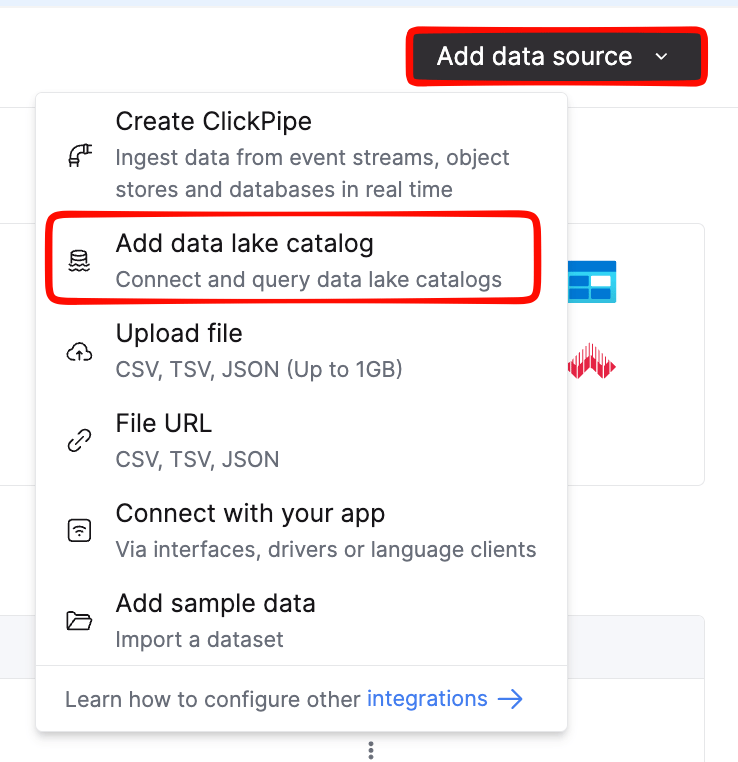
ClickHouse Cloud Data Sources page with the Add button
2

Configure the catalog

Set the region to us-east-2, then paste the access key and secret Autumn sent you.
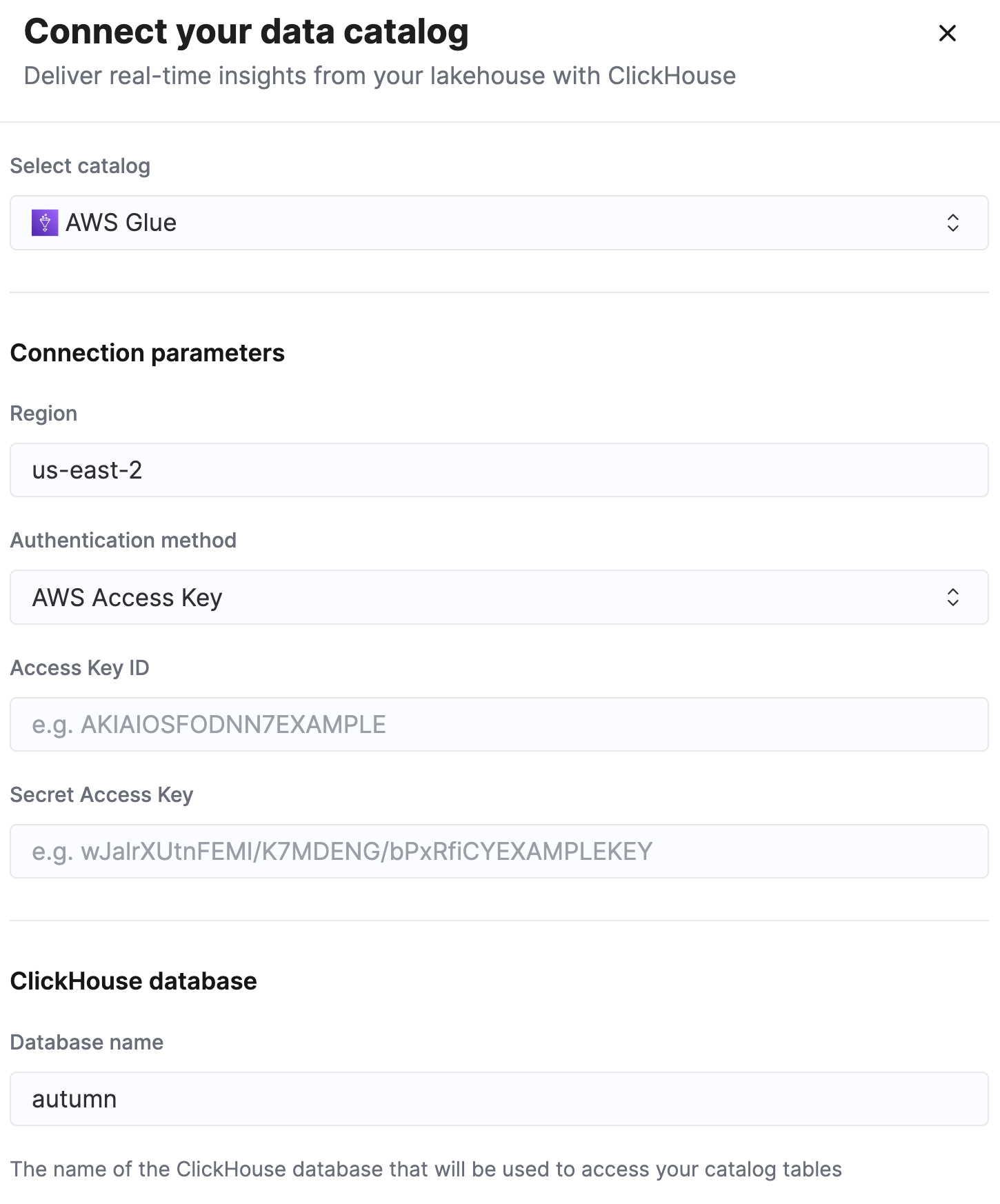
Selecting Data Lake Catalog then AWS Glue as the source type
3

Save and browse

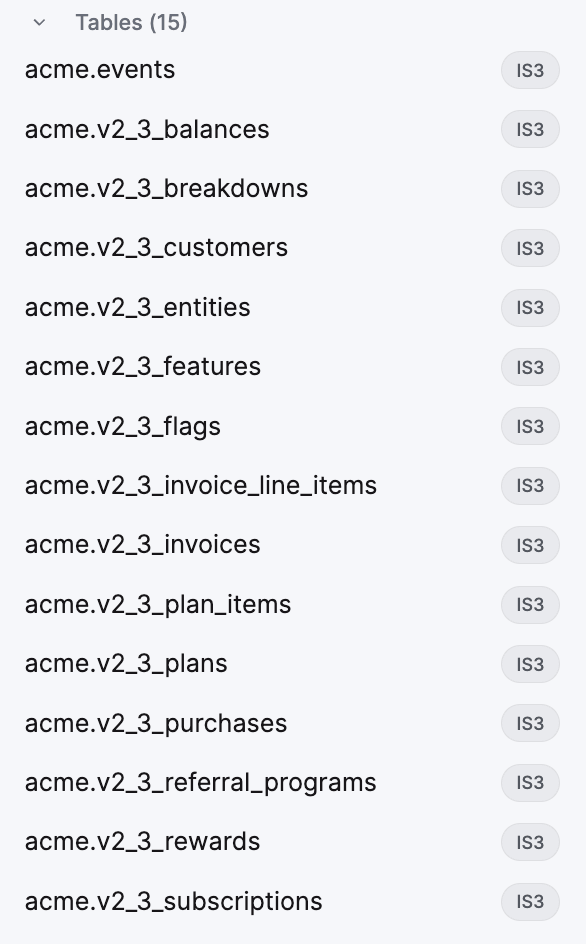
Save the connection. The catalog mounts as a database, and your tables appear as `<catalog>`.`<namespace>.v2_3_<object>`.
Mounted catalog tree showing the v2_3_* tables
The whole <namespace>.v2_3_<object> is the table name — the dot is literal, not a database separator. You must backtick both parts when querying. See Querying.

Test the connection

Run a quick count against any table to confirm everything is wired up:
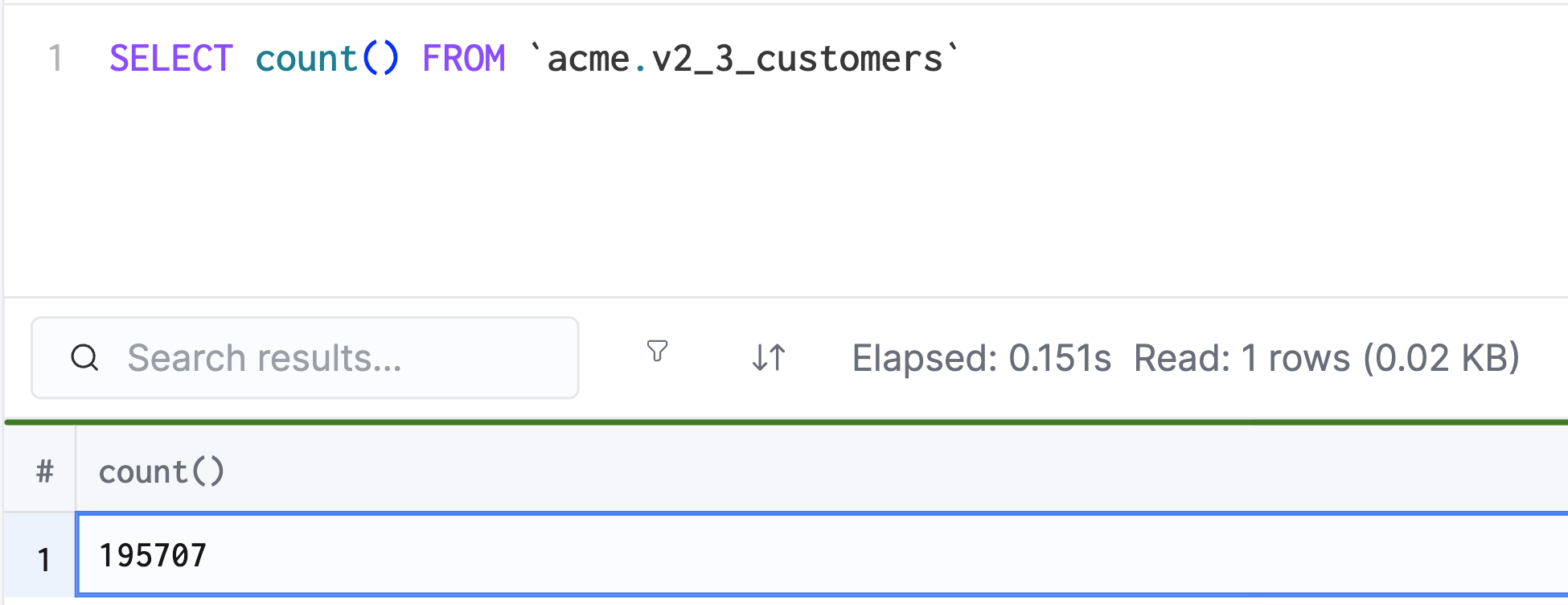
SELECT count() FROM <your v2_3_customers table>;
Successful row-count result in the query console
Once that returns, head to the Schema Reference to see what’s available, then Querying for examples. If you notice the number seems lower than expected, it’s because it may take a few minutes to a few hours for your data warehouse to catch up.